
When a job posting asks for “Microsoft Office proficiency,” it can feel intimidating — but the Microsoft Office skills employers expect are usually far more practical than technical. In most roles, hiring managers aren’t looking for power users or programmers. They want people who can use Word, Excel, PowerPoint, and Outlook confidently to get everyday work done, communicate clearly, and manage information without friction.
This guide translates that vague “proficient in Microsoft Office” line into a concrete checklist — the exact abilities employers look for in each app, what “good enough” really means, and how to build them at your own pace.

Why Microsoft Office Skills Still Matter
Even as cloud platforms and AI tools multiply, Microsoft Office stays deeply woven into how businesses run. Companies use it for documents, data, presentations, email, and collaboration — which is exactly why “Microsoft Office skills” keep appearing in job descriptions across nearly every industry.
Employees who work efficiently in these tools help their organizations save time, reduce errors, and communicate more clearly. That’s the real reason the skills are valued: they make everyday work smoother for everyone around you.
What Employers Really Mean by “Proficient in Microsoft Office”
“Proficient” rarely means expert. For most roles it means you can complete common tasks confidently and without hand-holding. Here’s a realistic breakdown of the levels employers have in mind:
| Level | What it looks like | Typical roles |
|---|---|---|
| Basic | Open, create, save, and edit files; simple formatting; send email | Most entry-level and non-office roles |
| Proficient | Confident everyday use of Word, Excel, PowerPoint, and Outlook for real tasks | Admin, coordinator, most office jobs |
| Advanced | Complex formulas, data analysis, automation, advanced formatting | Analyst, finance, operations, specialist |
Most postings that say “proficient” are pointing at the middle row. For a deeper look at that exact phrase, see our companion piece on what hiring managers mean when they say “proficient in Microsoft.”
Microsoft Word Skills Employers Expect
Word is still where reports, proposals, contracts, and internal communications get made. The expected skills are about producing clean, professional documents efficiently:
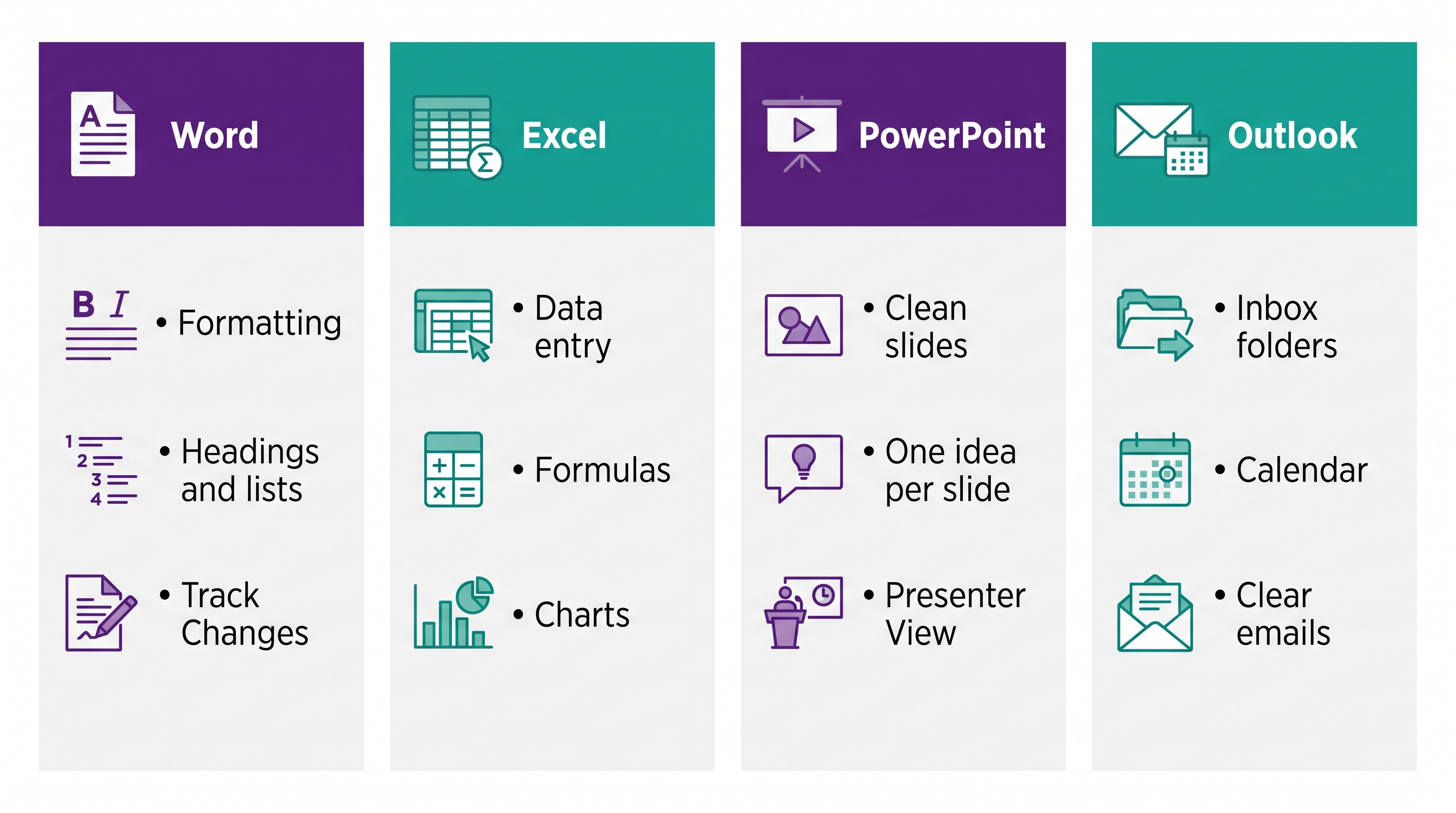
- Format with headings and styles for consistent, scannable documents
- Create bullet and numbered lists and insert tables and images
- Handle page layout and margins correctly
- Use Track Changes to review and edit collaboratively
- Save and export to different formats, like PDF
Professionals who structure documents well are seen as organized and detail-oriented. Want to go further? Our roundup of Microsoft Word productivity tips shows the features most people miss.
Microsoft Excel Skills Employers Value
Excel is the app employers ask about most, because data touches every department. You don’t need to be an analyst — the expected baseline is confident everyday use:
- Enter and organize data in clean, well-labeled tables
- Use basic formulas like
=SUM()and=AVERAGE() - Sort and filter to find what matters
- Apply simple formatting and number formats
- Create a basic chart to visualize results
If Excel makes you nervous, start with our beginner guide to Microsoft Excel — it builds exactly this foundation, calmly.
Microsoft PowerPoint Skills Employers Expect
Presentations show up in meetings, training, and client updates. The expected skill isn’t elaborate design — it’s clarity:
- Build slides with a clear, consistent layout
- Keep to one idea per slide with readable fonts
- Add images, charts, and simple transitions without overdoing it
- Use Presenter View and export or share cleanly
Slides should support what you say, not compete with it. You can build this end to end in our PowerPoint course.
Microsoft Outlook Skills Employers Expect
Outlook runs the workday for many teams, so managing email and calendars well is a genuine, expected skill:
- Keep an organized inbox with folders, rules, and categories
- Write clear, professional emails and attach files correctly
- Manage a calendar, schedule meetings, and send invites
- Use search and flags to stay on top of follow-ups
A calm, organized inbox signals reliability. Our Outlook email management course covers the whole system.
Where AI and Copilot Fit In
Microsoft 365 now includes Copilot, an AI assistant that can draft documents, summarize email threads, suggest Excel formulas, and even build first-draft slides. Employers increasingly like to see that you’re comfortable using it.
One honest note: the full Copilot features usually require a specific paid Microsoft 365 plan, and availability changes over time. Treat AI as a productivity boost on top of solid fundamentals — it’s most useful when you already understand the task you’re asking it to help with.
How to Build the Microsoft Office Skills Employers Expect
The fastest way to real proficiency is to learn one app at a time on real tasks, following a structured path rather than random videos:
- Start with the app your role uses most — usually Excel or Word
- Practice on something real — a budget, a report, your own inbox
- Learn the concepts so the skill transfers as tools update
- Add one app at a time until all four feel comfortable
At Wanna Be Tech Savvy, our beginner-friendly courses cover each app step by step — Excel, Word, PowerPoint, and Outlook — so you can build exactly the Microsoft Office skills employers expect.
Turn “Proficient in Microsoft Office” Into a Real Skill Set
Build genuine, job-ready confidence across Word, Excel, PowerPoint, and Outlook — with friendly, plain-English lessons designed for beginners.
Explore the Microsoft Courses →Frequently Asked Questions
How do I list Microsoft Office skills on a resume?
List specific Microsoft Office skills instead of the vague phrase proficient in Microsoft Office. For example: Excel (formulas, PivotTables, charts), Word (styles, mail merge, Track Changes), PowerPoint (slide design), and Outlook (calendar and inbox management). Naming concrete abilities, plus any certification, is far more credible to employers and applicant tracking systems.
What does “proficient in Microsoft Office” actually mean?
For most jobs it means you can confidently complete everyday tasks — format a document in Word, build and calculate a spreadsheet in Excel, make clear slides in PowerPoint, and manage email and calendars in Outlook — without needing step-by-step help. It rarely means expert-level or advanced technical skills.
Which Microsoft Office skills are most important for employers?
Excel and Word top most lists, because data and documents appear in nearly every role. PowerPoint and Outlook follow closely. Across all four, employers value clean formatting, accurate everyday tasks, and clear communication over advanced features.
Do I need to be advanced in Excel to get hired?
Usually not. Most roles want confident everyday use — entering data, basic formulas, sorting and filtering, and a simple chart. Advanced skills like pivot tables and complex formulas are valuable for analyst or finance roles, and you can grow into them over time.
Are Microsoft Office skills still relevant with AI tools like Copilot?
Yes. Copilot and other AI features speed up tasks, but they work best when you understand the underlying tools and can check the results. Strong Office fundamentals make AI genuinely useful instead of confusing, which is why employers still expect them.
How can I prove my Microsoft Office skills on a resume?
List specific abilities rather than the vague phrase “proficient in Microsoft Office” — for example, “Excel: formulas, sorting, charts” or “Word: styles and Track Changes.” A course completion or certificate adds credibility, as do concrete examples of work you’ve produced.
How long does it take to learn Microsoft Office?
You can reach confident everyday proficiency in one app in a few focused hours of practice, and cover all four core apps over a few weeks with a structured course. Learning one app at a time keeps it manageable and builds lasting confidence.
Microsoft Office Skills: Your Career Advantage
The Microsoft Office skills employers expect aren’t mysterious or advanced — they’re a practical, learnable set that makes you more efficient and more hireable in almost any field. Pick the app your work depends on most, build real confidence with it, then add the next. When you’re ready for a clear, friendly path, explore all Wanna Be Tech Savvy courses and start with one small step.

Empowering everyday people with digital skills that open doors to better careers and bigger opportunities. Learning made simple, practical, and affordable.