
Technology now touches nearly every job, which means the essential computer skills every professional needs are no longer a “nice to have” — they’re the foundation you build a career on. The reassuring part? Employers aren’t looking for programmers or engineers. They’re looking for people who can use everyday technology confidently and efficiently — and that is completely learnable, even if you’ve always felt a little behind.
This friendly guide breaks down the core computer skills that matter most in 2026, what “good enough” actually looks like for each one, and how to build them at your own pace. No jargon, no pressure — just the practical basics that make work faster, calmer, and more hireable.
What Do “Essential Computer Skills” Actually Mean?
It’s easy to assume “computer skills” means something advanced — coding, networking, or fixing hardware. In reality, the essential computer skills that shape a professional’s day are far more ordinary: finding a file quickly, writing a clear email, building a tidy spreadsheet, and sharing your screen on a video call without a scramble.
Think of them as digital fluency: the ability to move through everyday tools smoothly so technology helps you instead of slowing you down. These are basic computer skills in the best sense — foundational, universal, and used in nearly every role.
Why These Skills Matter More Than Ever in 2026
Work keeps getting more digital. Remote and hybrid setups, cloud storage, collaboration apps, and now AI assistants have all become normal parts of the job. When you’re comfortable with the fundamentals, every new tool is just a small step — not a wall.
There’s a career payoff, too. Professionals who handle everyday technology confidently tend to work faster, make fewer mistakes, and get trusted with more. Weak basics quietly hold people back; strong ones quietly open doors. The good news is that closing the gap doesn’t take a degree — just a bit of structured practice.
The 8 Core Computer Skills at a Glance
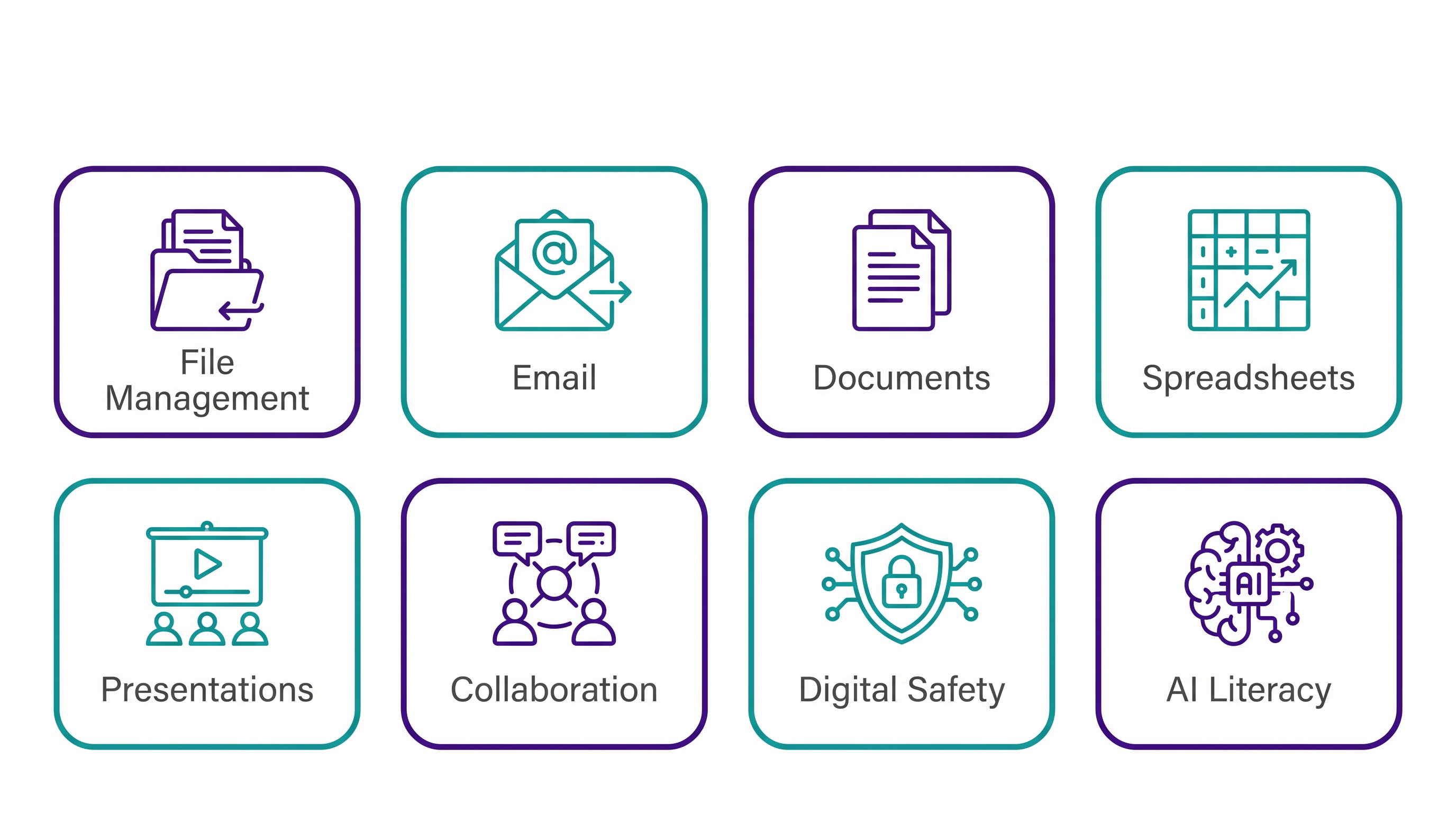
Here’s the full set, with what “confident enough” looks like for each. We’ll walk through them one by one below.
| Skill | What “good enough” looks like |
|---|---|
| File management | Clear folders, descriptive names, and knowing where things are saved |
| Professional email | Clear subject lines, tidy inbox, correct attachments, timely replies |
| Word processing | Clean formatting, headings, lists, and simple tables in Word |
| Spreadsheets | Entering data, a few formulas, sorting, and a basic chart in Excel |
| Presentations | Simple, readable slides that support what you’re saying |
| Online collaboration | Video calls, screen sharing, and shared files in tools like Teams |
| Digital safety | Strong passwords, spotting phishing, and safe file handling |
| AI literacy | Using assistants like Copilot to draft, summarize, and explain |
1. File Management and Digital Organization
One of the most overlooked essential computer skills is simply keeping your files organized. Every professional works with documents, spreadsheets, images, and PDFs — and disorganized files quietly waste hours of searching every week.
Strong file management means:
- Clear folder structures that mirror how you actually work
- Descriptive file names (not “final_v3_REAL.docx”)
- Knowing the difference between cloud storage and local storage
- Avoiding duplicate versions by saving in one clear place
It’s a small habit with an outsized payoff. If this is your weak spot, our full walkthrough on how to organize your computer files like a professional takes it step by step.
2. Professional Email and Communication
Email is still the backbone of workplace communication, and managing it well is a genuine skill. That means writing clear subject lines, keeping your inbox organized with folders, attaching files correctly, and replying in a timely, professional way.
Good email habits reduce misunderstandings, keep projects moving, and quietly signal that you’re reliable. An organized inbox also lowers daily stress — you’re responding on purpose instead of drowning.
3. Word Processing (Documents)
Reports, proposals, and instructions are still built in word processors like Microsoft Word. The essential skills are clean formatting, structuring a document with headings, using bullet points and lists, and inserting simple images or tables.
Documents that are easy to read are easier to trust. A little formatting know-how makes your work look polished and professional — and it’s faster than fighting with the page every time.
4. Spreadsheet Basics
Spreadsheets show up in nearly every industry, and even a few basics make a big difference: entering and organizing data, a handful of formulas, sorting and filtering, and turning numbers into a simple chart. If spreadsheets intimidate you, start gently with our beginner guide to Microsoft Excel — it’s designed for exactly this.
5. Presentation Skills
Sharing ideas through slides is a normal part of professional life, whether you’re presenting to a client, a manager, or your team. The essential skill isn’t fancy design — it’s making clean, readable slides that support what you’re saying instead of competing with it. A few large fonts, one idea per slide, and a clear takeaway go a long way.
6. Online Collaboration and Video Calls
Hybrid work made collaboration tools essential. Being comfortable joining a video call, sharing your screen without a fumble, and working in shared files or a tool like Microsoft Teams is now a baseline expectation. The core skills: muting and unmuting confidently, screen sharing, chat, and finding shared documents.
7. Digital Safety and Security Basics
You don’t need to be a cybersecurity expert, but every professional should handle the basics: using strong, unique passwords (ideally with a password manager), recognizing phishing emails before clicking, and knowing how to store and share files safely. These habits protect you and your employer — and they’re increasingly part of what “computer literate” means.
8. A Little AI Literacy
New in the last couple of years, basic AI literacy has joined the list of essential computer skills. You don’t need to master it — just get comfortable using assistants like Microsoft Copilot or ChatGPT to draft an email, summarize a long document, or explain something in plain language.
One honest note: the most powerful AI features often require a specific paid plan, and availability changes over time. Treat AI as a helpful boost on top of solid fundamentals — it works best when you already understand the task.
How to Build These Skills (Without Overwhelm)
You don’t have to learn everything at once. The calm, effective approach:
- Pick one skill at a time — start with your weakest, most-used one
- Practice on something real — your own files, a budget, a short presentation
- Learn concepts, not just steps, so the skill transfers when tools change
- Follow a structured path instead of stitching together random videos
That last point is where a guided course saves real time. At Wanna Be Tech Savvy, our beginner-friendly programs cover exactly these fundamentals — start with the Windows PC & file management fundamentals, then build up through Microsoft Word and Excel at your own pace.
Ready to Feel Genuinely Confident With Computers?
Go from “I’m not really a tech person” to capable and calm — with friendly, plain-English lessons built for beginners, one small step at a time.
Explore the Courses →Frequently Asked Questions
What are the basic computer skills everyone should know?
The basic computer skills every professional should know are file management, email, word processing, spreadsheets, presentations, online collaboration, digital safety, and a little AI literacy. These everyday basics cover what most jobs expect, and none of them require a technical background.
What are the most essential computer skills for professionals?
The core set is file management, professional email, word processing, spreadsheets, presentations, online collaboration, basic digital safety, and a little AI literacy. Together these cover the everyday tasks nearly every job expects — and none of them require a technical or coding background.
What’s the difference between basic and advanced computer skills?
Basic computer skills are the everyday fundamentals — organizing files, sending clear emails, formatting a document, or building a simple spreadsheet. Advanced skills go deeper, like complex Excel formulas, data analysis, or automation. Most jobs are built on the basics; you can grow into the advanced skills over time.
How can I improve my computer skills as an adult?
Pick one skill at a time, practice on something real from your own life or work, and follow a structured, beginner-friendly course instead of random videos. Learning steadily — a little each week — builds lasting confidence without the overwhelm.
Do I need computer skills if I’m not in a tech job?
Yes. Nearly every role — from healthcare to trades to retail management — now involves email, documents, scheduling, or online tools. Essential computer skills make you more efficient and more hireable in almost any field, not just tech.
Are computer skills still important now that AI can do so much?
More than ever. AI tools are only as effective as the person using them — you still need to understand the task, check the output, and put it to work. Strong fundamentals are what let AI actually save you time instead of creating confusion.
How long does it take to learn essential computer skills?
You can become noticeably more confident in a few focused hours per skill, spread over a couple of weeks. A guided course speeds this up by showing you exactly what to learn and in what order, so you’re never guessing what matters.
Essential Computer Skills: Start Where You Are
Building the essential computer skills every professional needs isn’t about mastering everything overnight — it’s about getting comfortable with a practical handful and growing from there. Pick one skill, practice it on something real, and let your confidence compound. When you’re ready for a clear, calm path, explore all Wanna Be Tech Savvy courses and take the next small step.
Empowering everyday people with digital skills that open doors to better careers and bigger opportunities. Learning made simple, practical, and affordable.